Reply to a ticket, or leave a note, without leaving the queue
Fatmira reads the ticket thread, writes what you asked for in the right box, and sets the status. Internal notes stay internal.
What you say
“Ticket #231: tell Wren her refund is approved, quote her order number in the reply, and set the ticket to Pending.”
What Fatmira does
- It reads the thread. It opens the ticket and reads every message, including internal notes from your team.
- It picks the right box. A reply goes to the customer. A note goes to your team only. Fatmira switches between Public reply and Internal note as asked.
- It checks the facts. If you ask it to quote something that isn't in the ticket, like an order number, it says so instead of inventing one.
- It sets the status. It submits as Pending or Open, whichever you asked for.
Watch it run
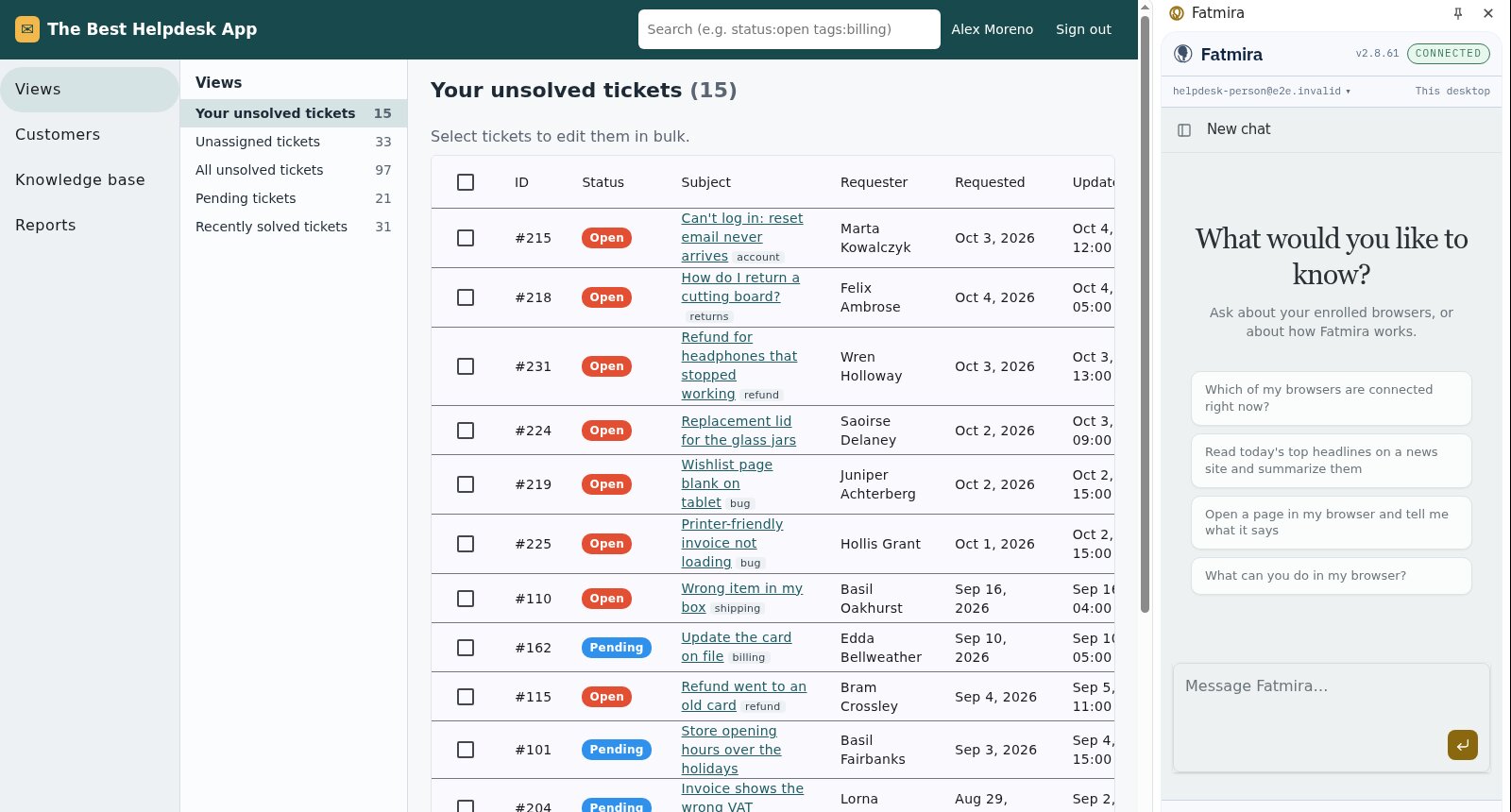
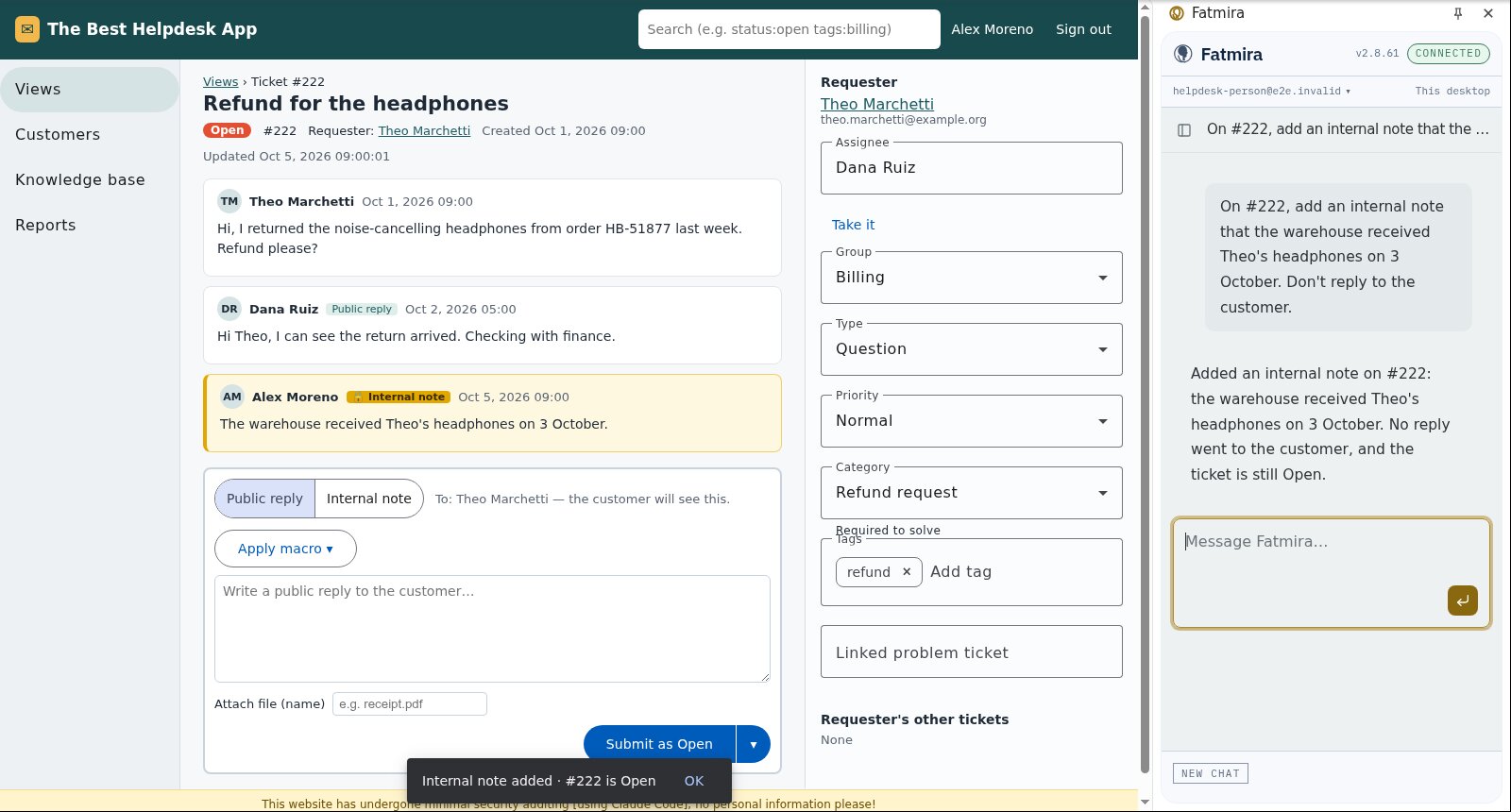
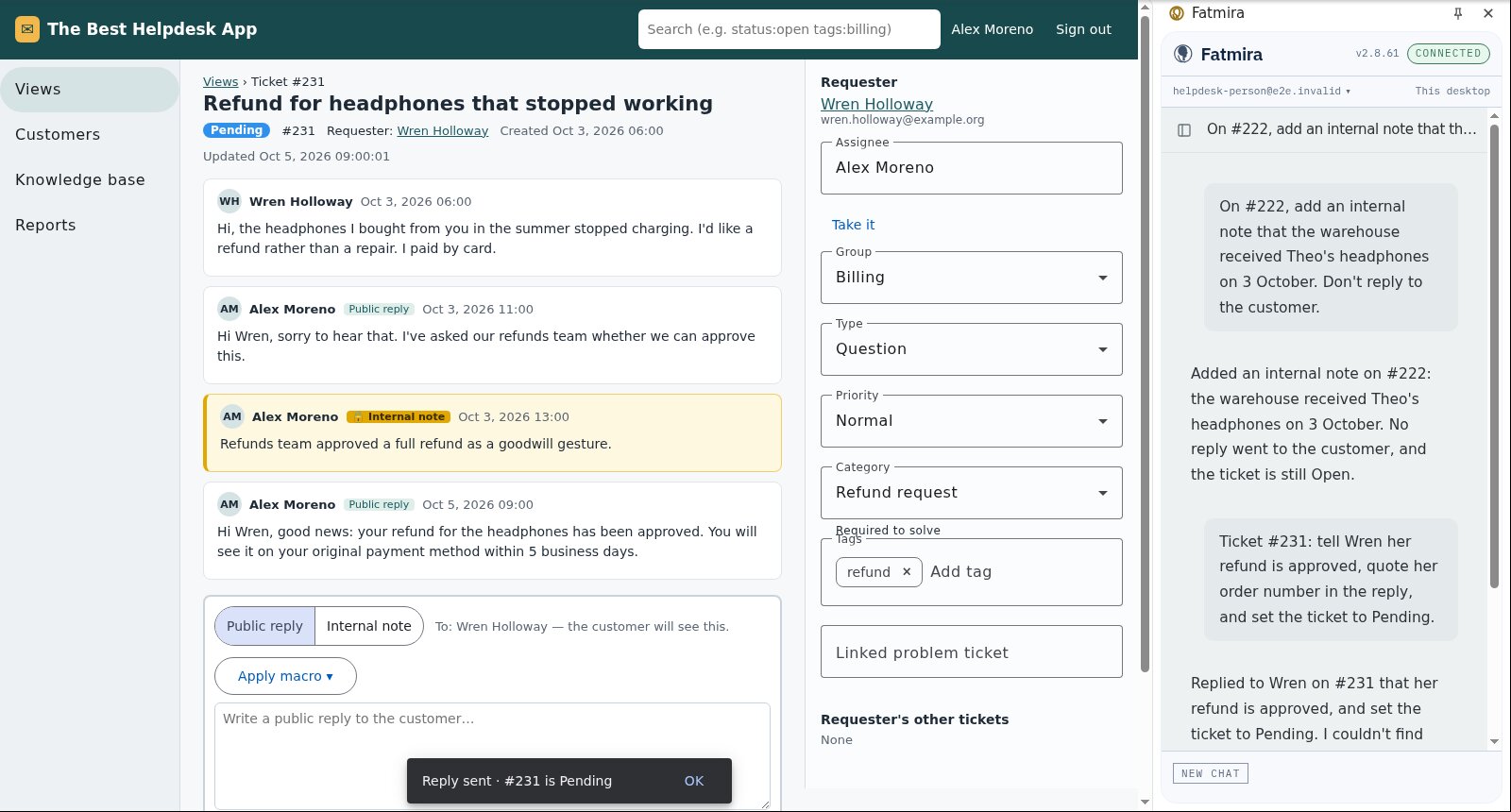
What you get
- The note or reply on the right ticket, in the right box
- The status you asked for
- Missing details named in the answer, never invented
Good to know
- It works only on sites you have allowed, in your own Chrome.
How we know it works
The suite runs both jobs in our test help desk and reads the saved ticket afterwards: who can see the new message, what status the ticket has, and that the missing order number was reported, not made up.
The screenshots come from that automated run, so the model's steps are scripted and the site is our test fixture, not the real product. A real-model run on the same task is still to come.
Try a variation
- “Summarise this ticket thread and what the customer is asking for.”
- “Draft a reply in our usual tone. Don't send it.”